
How to Test a CRM Free Trial: A 30-Day Plan for Brokerages
By Dealora Published Reviewed by Ali Darwish 10 min read
A week-by-week 30-day plan for brokerage owners: import real leads, run the pipeline with real reps, check developer data and review reports, each with a pass or fail mark and a decision rule.

Test a CRM free trial in four weeks with your own data: week 1 import real leads, week 2 run the pipeline with real reps, week 3 check developer and project data, week 4 review reports. Give each week three pass or fail checks, then decide by a rule you set before you start.
How to test a CRM free trial comes down to four weeks, four pass or fail tests and one rule that decides the outcome before the trial ends. For a brokerage, every test uses your own leads, your own reps, your own developers and your own reports, never the sample data a vendor loads for you.
How to test a CRM free trial: the 30-day plan at a glance
A software free trial test plan fails when it is a list of features to tick. It works when each week ends with a result someone can mark pass or fail, and when the person who marks it is the person who will use the system. The table gives the four weeks; the sections after it give the checks.
| Week | Test | Who runs it | Pass mark |
|---|---|---|---|
| 1 | Import real leads | CRM admin and marketing coordinator | Nothing lost, duplicates merged, fields correct |
| 2 | Run the pipeline with real reps | Sales manager and three to five reps | Reps work only in the CRM for five working days |
| 3 | Check developer and project data | Sales manager, a rep and accounting | A rep answers a project question alone, fast |
| 4 | Review reports and score | Owner | Reports match your own hand count |
The owner does not need to be in the system every day. The owner needs to read the week 4 reports personally and make the call, because a CRM that only the sales manager likes usually stalls when the reps stop entering data.
Before day one: set the trial up so it can fail
Prepare before the trial clock starts, so the days go to testing rather than to finding files. Four things need to exist on day one:
- A real lead sheet. Last month's leads from your ad forms, website and walk-ins, including the messy rows.
- A named test team. The sales manager, a CRM admin, someone from accounting and three to five reps, including one who dislikes new tools. Dealora's Starter plan allows up to 10 users; past that you add users as an add-on.
- Today's numbers. How long it takes to assign a new lead, how long a rep needs to find a project's payment plan, and how many leads you counted last month. Without a baseline, "better" means nothing.
- Your decision rule, written down (it is below). Setting it before the trial removes the pull of a pleasant interface.
Real leads are personal data, so know which law applies to the contacts you load. Egypt's Personal Data Protection Law No. 151 of 2020 created the Personal Data Protection Center, and its Executive Regulations were issued as Decree No. 816 of 2025, so the law is now in the implementation phase. The UAE's federal Personal Data Protection Law, Federal Decree-Law No. 45 of 2021, has been in force since 2 January 2022. Saudi Arabia's law entered into force on 14 September 2023 with its Implementing Regulation: a separate consent is needed for each processing purpose, the person may withdraw consent at any time, and data other than sensitive data may be processed for marketing only if it is collected directly from the person and consent is given under the law. Ask your legal adviser what applies to you, and import only the fields you need.
Dealora is a cloud platform sold to real estate companies in Egypt, Saudi Arabia and the United Arab Emirates, and its 3-month free trial on the Starter plan covers Employees, CRM, Developers & Projects, Projects Map and the Developer Sales index. If your sales manager has never worked from a written setup, the step-by-step setup of a real estate CRM for brokers in Egypt and the Gulf shows the order to configure stages, sources and users.
Week 1: import real leads
This is the most revealing test in any real estate CRM free trial, because every brokerage sheet is untidy. The marketing coordinator exports last month's leads, a few hundred rows is enough, and the CRM admin loads them into Dealora's CRM after creating the users in Employees and setting the stages and sources in CRM Settings.
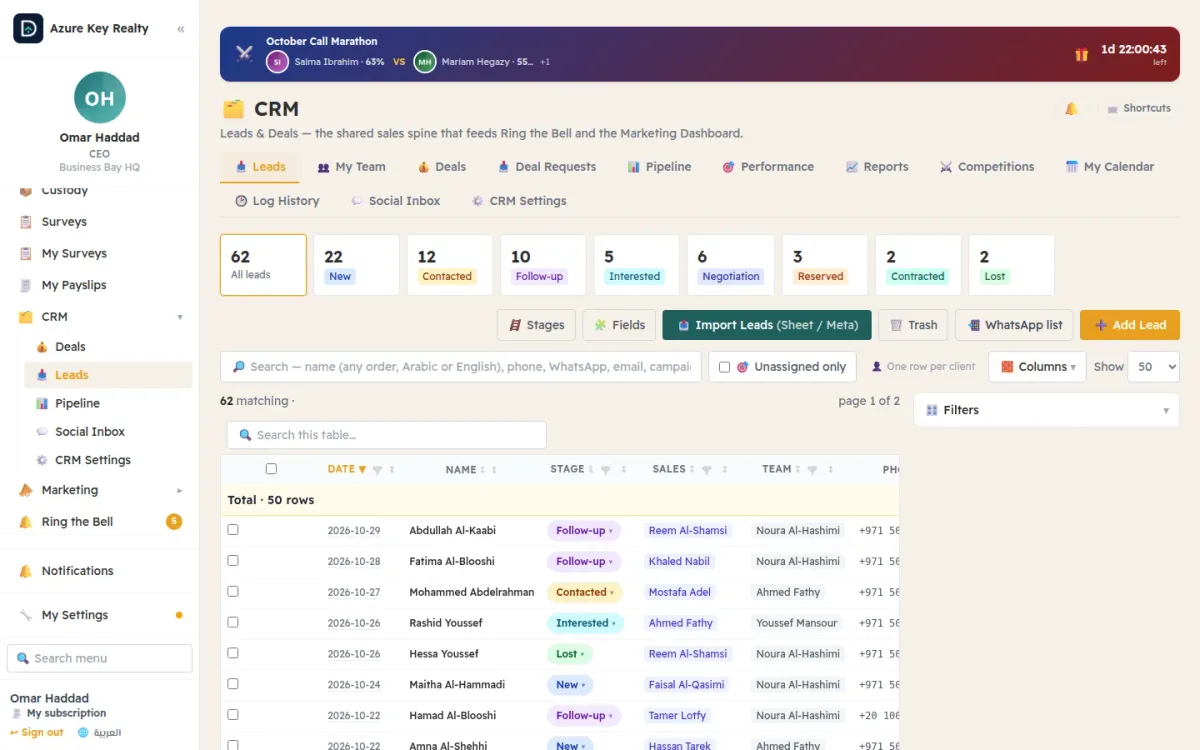
Three checks, each pass or fail:
- Nothing is lost. The number of clients in the CRM equals the rows in your sheet minus the duplicates you know about, and you can explain any difference.
- Duplicates merge (gate check). Plant one buyer who registered on three forms with the same phone number or email. In Dealora, every phone number and email is matched to one client, so that buyer should be one row with three requests, held by one salesperson.
- Fields land in the right place. Source, tags and requirements such as unit type, budget and project appear correctly, and Arabic and English names both display properly.
If check 2 fails, stop. A CRM that splits one buyer across three salespeople will cost you the leads it was bought to protect, and no later week repairs it.
Week 2: run the pipeline with real reps
From Monday, the test reps work their real leads in the CRM and nowhere else: no side sheet, no WhatsApp group for assigning. The sales manager sets the pipeline stages first; the real estate sales pipeline with its exit rules and time limits gives a stage model to start from.
- Reps work without a side sheet (gate check). For five working days, calls, WhatsApp messages, meetings and site visits are logged on the client page, in the Sales Activity timeline. Set the bar before the week starts, for example that logging a call takes a rep under a minute, and ask each rep on Friday whether they kept a private list.
- Rules do the distributing. A new lead for a client nobody owns reaches the right rep through a pool, picked by its strategy: least loaded, weighted, FIFO or round-robin. Then leave one lead untouched past the stage time limit. Pipeline SLA scans every 30 minutes, with quiet hours at night, and an idle lead should be pulled and re-distributed.
- One deal, one unit. A rep sends a deal request for a unit, the CRM Admin approves, holds or rejects it, and the deal moves from Deal to EOI (expression of interest) to Contracted. A unit can sit on one live deal only, so test a second request for the same unit.
Ask the reps three plain questions at the end of the week: what slowed you down, what did you stop doing, and would you go back. Their answers are data. A rep who says "I stopped logging calls on Wednesday" has just told you how the reports will look in six months.
Week 3: check developer and project data
A general CRM tested with generic leads never reaches this week, and brokerages feel its absence daily. Week 3 has three parts, one for each screen a rep relies on, followed by the three checks.
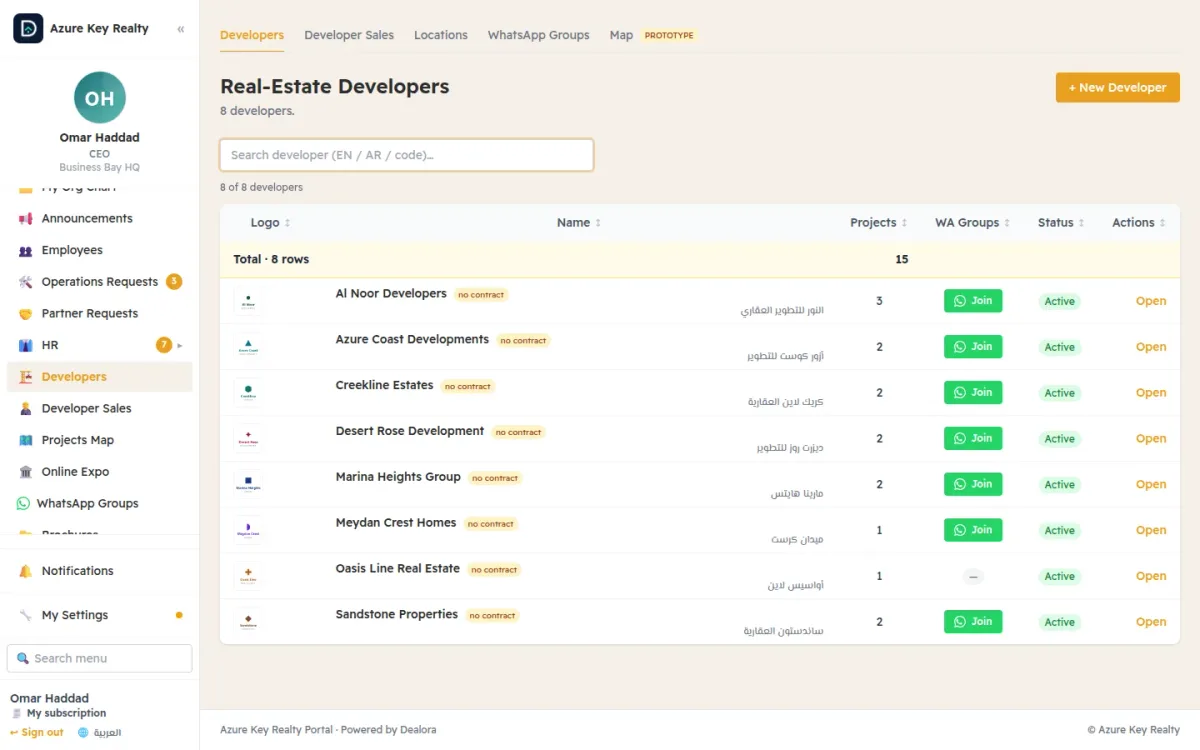
Developers & Projects: enter three developers completely
Choose the three developers you sell for most and enter them in Developers & Projects: projects with their types, phases with delivery dates, locations picked from your own two-level list of Regions and Areas, and project files such as master plan, brochure, payment plan and floor plans (PDF or pictures, up to 60 MB each).
Projects Map: approved project boundaries
Then switch to the salesperson's point of view in the Projects Map. Someone with the drawing permission draws a project's boundary, and someone with the developers manage permission approves it; only then does the sales team see it as a solid outline.

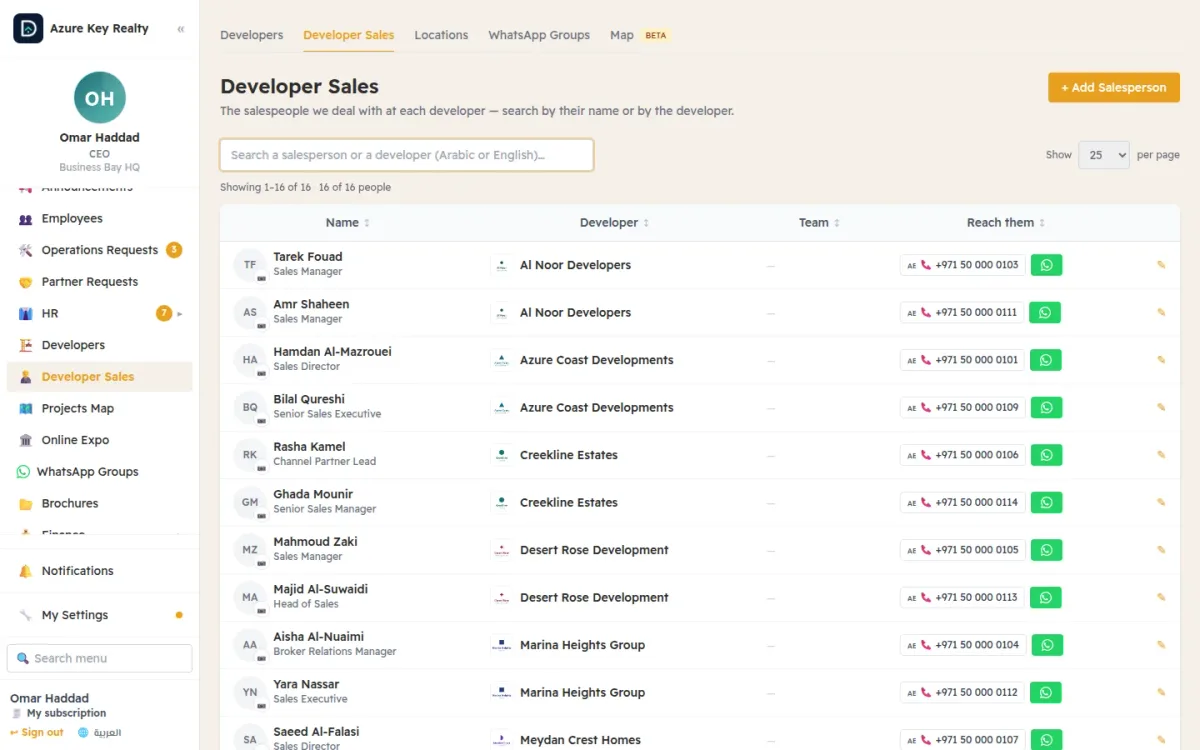
Developer Sales index: who to call at the developer
The Developer Sales index lists the salespeople at each developer with their numbers. A rep who needs a unit's availability or a document from the developer should find the right contact there, without asking a colleague for a number.
The three checks for week 3
- A rep answers alone. Ask a rep a real client question: where is the project, what phases exist, what is the payment plan, who do I call at the developer. Pass means the answer comes from the project panel and the Developer Sales index in under two minutes, without asking a colleague.
- The client sees only the project. Send one file to a client with the 14-day link, then turn on Present mode and confirm deals and the developer's people are hidden.
- Contracts keep their history. Someone with the contracts permission uploads a contract with its signed date and commission percentage. A new agreement should be filed as a new version, with the old one kept. Retire a commission rate and check that deals already priced do not change.
Accounting should do check 3 personally. If finance cannot tell which contract version a deal was agreed under, commission claims will be argued, not calculated.
Week 4: review reports and score the trial
Reports are only as honest as the first three weeks. In week 4 the owner reads them against the hand count made in week 1.
- Counts match. Dealora's reports count clients, not registrations. Compare clients by source and stage with your own count; they should match or every gap should be explainable.
- The manager sees who holds what. In My Team, the manager sees what each person holds and moves all the clients of one salesperson to another, the situation you meet when a rep resigns or goes on leave.
- The owner answers three questions alone. Where did this month's leads come from, how many clients does each salesperson or team hold, and how many deals sit in each stage. No message to the sales manager allowed.
The decision rule for a CRM free trial
Add up the 12 checks. Write the rule before the trial and do not renegotiate it afterwards:
- Buy when both gate checks pass (duplicates merge, reps work without a side sheet) and at least 10 of the 12 checks pass.
- Extend the test on the failed items when 8 or 9 checks pass and no gate has failed. Ask the vendor to fix the specific item, then re-run only that check.
- Walk away when a gate fails, or fewer than 8 checks pass.
Keep the failed checks in writing. They become your first week's setup list if you go ahead; the week-by-week checklist for setting up a brokerage on Dealora shows what that rollout looks like.
What the Starter trial cannot test
The Dealora trial runs for 3 months on the Starter plan only, so what is outside it is judged another way. Data export is a clear example: it starts on the Growth plan, so you cannot test an export during the trial and should ask about it before you commit. The other modules by plan:
- Growth and above: Social Inbox, WhatsApp Campaign and Marketing Dashboard. Social Inbox and WhatsApp Campaign also need the company's own Meta connection: its Facebook page, Instagram and WhatsApp Business number.
- Business and above: Attendance & Leave and HR Requests.
- Enterprise: Payroll.
- Add-on from Starter: the AI Sales Agent, charged as a monthly subscription plus the calls.
Read each module's page and the pricing page, then talk to the Dealora team about the plan that fits your headcount and add-ons. A list of questions that works for any vendor, including support, user limits and what happens to your data, is in the checklist of software questions for brokerage owners.
Using the other 60 days
A 90-day trial gives the 30-day plan room. Run the four weeks first, fix what the checks exposed, and spend the second and third months selling live on the system with the full team. By then the reports hold weeks of real activity, and the decision rests on what your reps did, not on what you expected them to do.
To run this plan, create a free Dealora account: 3 months free on the Starter plan.
Sources
Frequently asked
How long should a CRM free trial test take?
Thirty days is enough for a brokerage when the plan is fixed in advance: one week to import real leads, one to run the pipeline with real reps, one to check developer and project data, and one to review reports and score. A 90-day trial leaves the remaining weeks for live selling.
Should I test a CRM with real leads or sample data?
Use real leads, because the problems that matter appear in them: duplicates, mixed phone formats, Arabic and English names, missing sources. Sample data always looks clean. Start with a sample of a few hundred leads from last month, and check which data protection law applies to the contacts you load.
Who in a brokerage should take part in a CRM trial?
The owner decides, the sales manager runs the pipeline test, a CRM admin sets stages and rules, accounting checks contracts and commission data, and three to five real reps work their own leads. Include one skeptical rep. Their daily use matters more than any feature list.
What can the Dealora free trial test?
The 3-month trial on the Starter plan includes Employees, CRM, Developers & Projects, Projects Map and the Developer Sales index, with no data export. Social Inbox, WhatsApp Campaign and the Marketing Dashboard start on Growth, so they are judged from their pages and a talk with the Dealora team.
What decision rule should I use at the end of a trial?
Score 12 checks, three per week, as pass or fail. Mark two of them as gates: duplicates merging into one client and reps working without a side sheet. Buy only if both gates pass and at least 10 of 12 checks pass. Fix or extend the trial for 8 or 9.
Read next
- Real Estate Sales Dashboard: 3 Views Every Manager Needs One screen, three views: agent, team and project or developer. Which number goes where, who reads it, and whic
- Selling Off-Plan Property in Dubai: Team Roles and Follow-Up Selling off-plan property in Dubai with several developer launches running at once needs clear roles, lead rul
- Off-Plan Launch Checklist: 10 Checks for Brokers Before Day One Ten checks a brokerage sales team completes before a developer opens sales, each with an owner and a due date,
- How to Send Project Details to a Client: A Same-Day Routine A fixed order for brokers: find the project on the map, pick the current files, send them from one place and r