
How to Send Project Details to a Client: A Same-Day Routine
By Dealora Published Reviewed by Ali Darwish 9 min read
A fixed order for brokers: find the project on the map, pick the current files, send them from one place and record what went out, all on the day the client asks.

To send project details to a client the same day, work in a fixed order: find the project on the map, pick the current brochure, price list, floor plans and location, send them in one message from one place, then record what was sent and when. Aim to send the first pack within 15 minutes during working hours.
To send project details to a client on the same day, work in a fixed order: find the project on the map, pick the current files from one source, send them in a single message, and record what went out. The pack is the same for every project, so a salesperson never has to decide what a client "should" get. Done from one screen, the whole routine takes a few minutes. Done from forwarded chats and personal folders, it takes a morning and the client may still receive last month's prices.
The minimum pack for every project
A client who asks "send me the details" wants five things, whether or not they say so. Agree on them once for the whole team, so two salespeople answering the same question send the same material.
| Item | Where it should live | Check before sending |
|---|---|---|
| One-page summary | Project record | Developer, location, unit types, delivery date |
| Current brochure | Project files or the brochure library | Version label and month |
| Price list or payment plan | Project files | Date of the sheet, and whether the developer has issued a newer one |
| Floor plans or master plan | Project files, per phase | The phase the client asked about |
| Location | Projects map | The approved boundary, not a pin from someone's phone |
Two rules keep the pack short. First, send only the phase and unit types the client asked about; a full developer portfolio buries the one page they wanted. Second, send the pack as one message, not five, so the client has a single thread to come back to.
The same-day routine to send project details to a client
Six steps, in this order. The first three take place before anything leaves your phone.
1. Find the project on the map
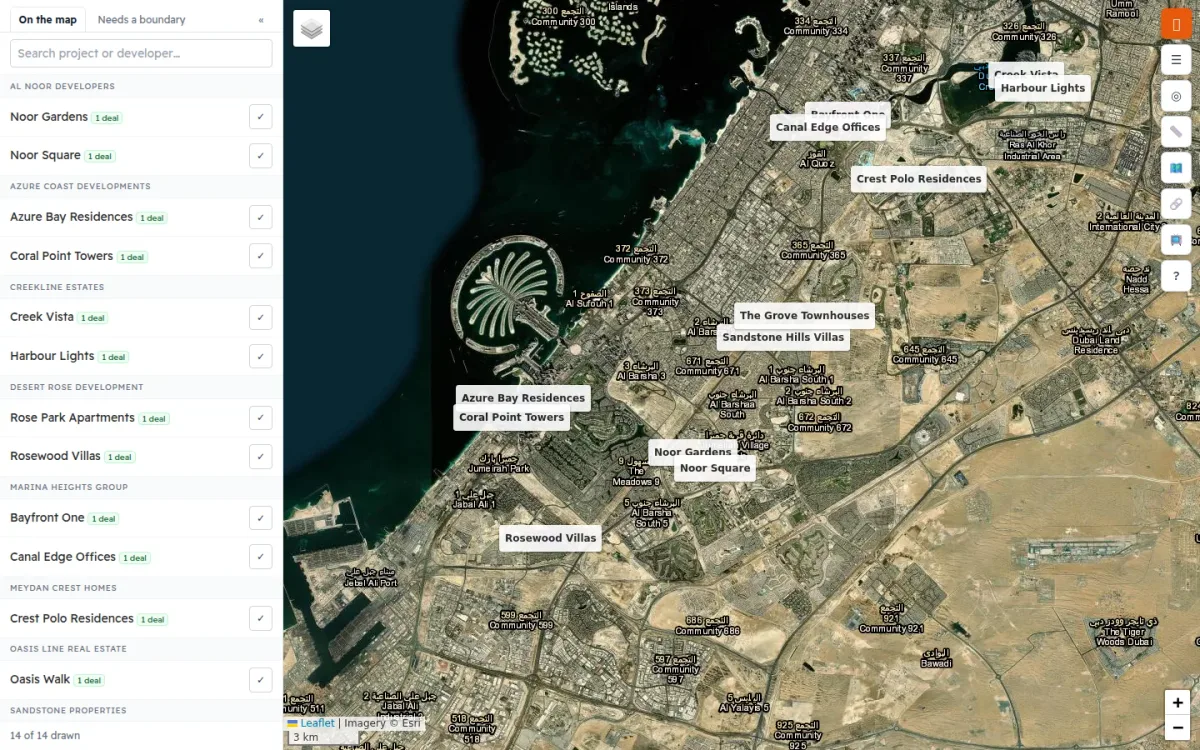
Open the Projects Map and search by project or developer name. Pressing a name flies the map to the project and opens its panel, which shows the description, unit types, delivery dates, files, phases and the developer's salespeople. In Dealora's Projects Map, the outline you see is a boundary that someone with the right permission has approved, so the location you quote is the one the company stands behind.
2. Check the phase and the dates
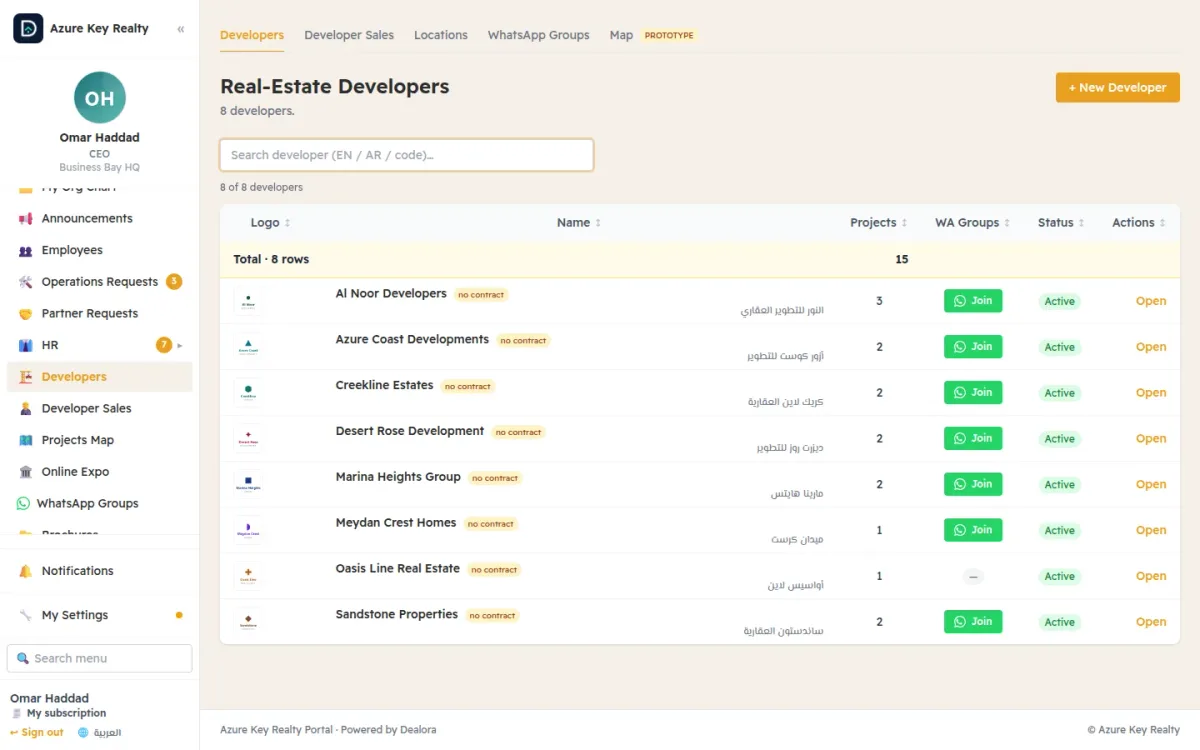
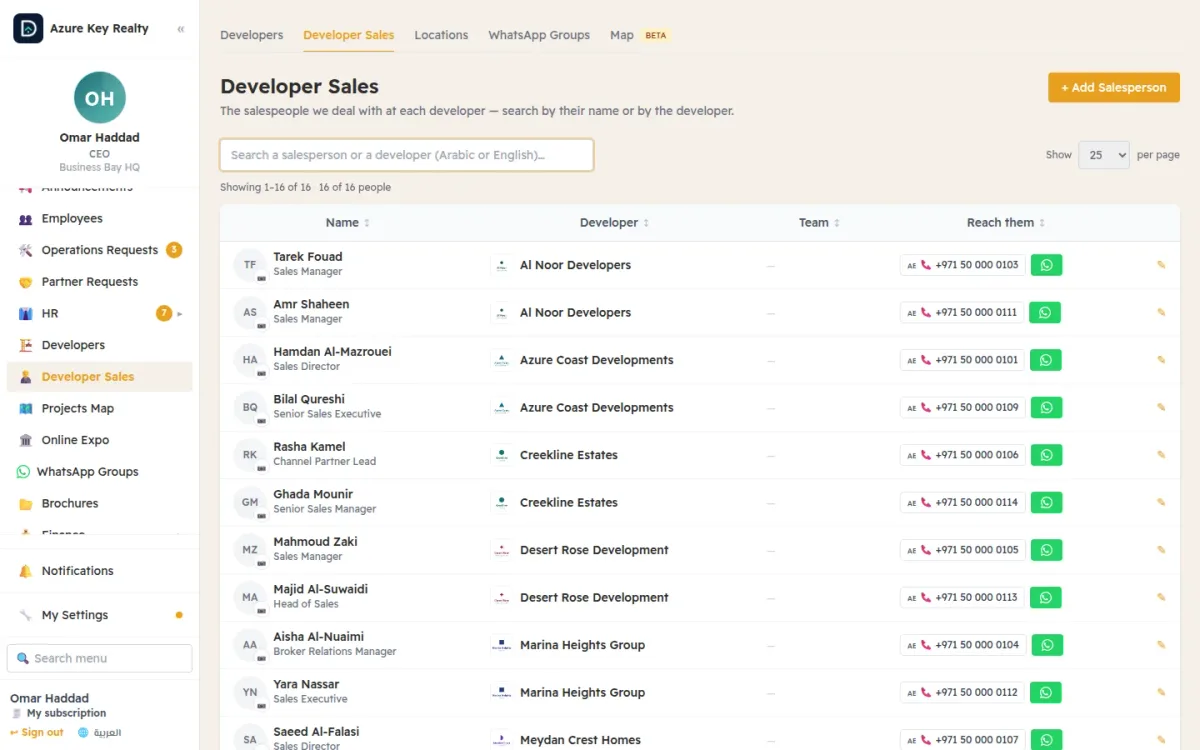
Open the Phases tab before you open any file. A client asking about "the compound" often means one phase, with its own delivery date and its own plans. Confirm the phase, then confirm the date on the price list matches the one in the project record. If the two disagree, stop and ask the developer's salesperson, whose name and number sit under Developer sales in the same panel.
3. Pick the files from the project record
Take the brochure, payment plan, master plan and floor plans from the project's own files, never from a chat. The Developers & Projects module keeps these per project and per phase, as PDFs or pictures up to 60 MB each, so the file you pick is the file the whole company uses. This module is on every Dealora plan, including the 3-month free trial on Starter.
4. Send the files from one place
In the project panel, Send gives the client a link to one file by WhatsApp, email or a copied link, and that link works for 14 days. The Send button works on one file at a time, so a pack of three files means three links. Paste them into a single message, with the summary line on top. Fourteen days is long enough for a considered decision and short enough that a forwarded link does not live forever.
If you are in a meeting and turning the screen toward the client, press Present mode first. It hides deals, the developer's people and everything internal, so the client sees only the project.
5. Add the location and a two-line message
Right-click on the map, or press and hold on a phone, to get the exact point, directions, Street View and what is nearby; the project panel also lists other projects within 5 km. Send the point as a WhatsApp location message. A location message carries latitude and longitude in decimal degrees, and a name and address can be added but are optional. Then write two lines: what is attached, and one question that moves the client forward, such as which phase interests them or when they are free to visit.
6. Log what was sent
Before you leave the client, write on the client's record in the CRM: the project, the files and their version labels, the time, and the date the links expire. When the client returns after 14 days, you know the links have lapsed and which files to reissue. When a manager asks why a client was told one thing and sent another, the record answers it.
Set a response time target
A reasonable team standard is the first pack within 15 minutes during working hours, and the same day for requests that arrive at night. The number is a management rule, not an industry law, so choose one your team can meet and measure it from the client record. The reasoning behind a reply standard, and how to enforce it, is in the article on speed to lead in real estate.
The routine is what makes the target realistic. With the files in one record and the map one search away, the salesperson assembles the pack from the project record and the map instead of asking colleagues or scrolling through old chats.
Send developer project details on WhatsApp without breaking the window
When a client messages or calls a business on WhatsApp, a 24-hour customer service window opens, and it resets to 24 hours each time the client messages or calls again. While it is open, you can send free-form (non-template) service messages without pre-approval, which includes text, media and location messages. When it closes, only pre-approved template messages can be sent, and only to users who opted in to receive messages.
The practical rule: answer the client's request inside the window, and put the whole pack in that reply. A document or any other media message on the WhatsApp Cloud API can be up to 100 MB, and media you upload for sending stays available for 30 days unless you delete it, so the size limit is rarely the problem; keep PDFs small anyway, because clients open them on phones.
Service messages on the WhatsApp Business Platform have been charged since 1 October 2026, but every business phone number gets 1,000 free service messages a month, and the allowance resets monthly without rolling over. Eligible government and non-profit organizations keep service messages free beyond that tier. For a brokerage answering clients who wrote first, the free allowance is the figure to watch.
On Growth and above, the Social Inbox brings Messenger, Instagram and WhatsApp conversations into the CRM, and a line above the messages shows whether the 24-hour reply window is open. It works together with the company's own Meta connection: its Facebook page, Instagram and WhatsApp Business number. When the window has closed, the button becomes Log sent: the salesperson messages the client from their own phone and records what was sent, so the client record stays complete.
Keep outdated files from going out
Outdated files reach clients for a boring reason: several copies exist. A developer sends a new price sheet on Monday, and by Wednesday three versions are circulating in team chats. Four habits stop that.
- One source per file. Pull the brochure, price list and plans from the project record or the brochure library, never from an old chat.
- Version labels with the month. A file called "Brochure, November" is checked at a glance; "final2" is not.
- One person publishes. A manager publishes each new version once. In the Brochures library, on Growth and above, the new version becomes the one everyone downloads, and the previous version moves to the history, where only managers see it.
- Links that expire. A file link that lapses after 14 days cannot be forwarded and quoted months later.
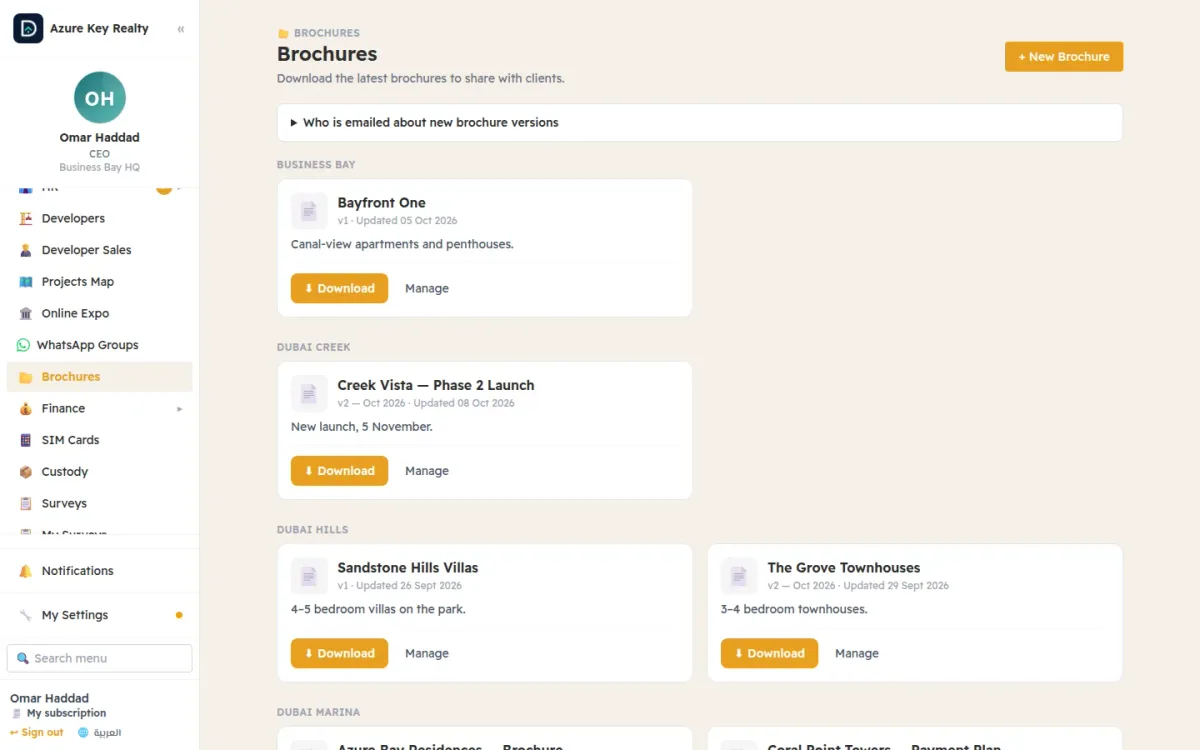
Add a weekly check: a manager opens the projects with most requests and compares each price list date with what the developer last issued. It takes minutes and catches the file that would otherwise go out stale to ten clients.
Project details for off-plan buyers
Off-plan buyers decide on documents, not a finished unit, so add three items to the pack: the delivery date for the phase, the payment plan with its schedule, and the master plan showing where the phase sits. Do not promise a date the record does not state. If the developer has not published one, say so and name when you will ask. The wider process, from first inquiry to contract, is in the off-plan sales process walkthrough.
When a client is torn between two projects, send each pack separately and then one comparison message. The method for that is in the article on how to compare developer projects for one client.
A note for brokers in Dubai
The Dubai Land Department's Real Estate Ad Permit covers 14 kinds of advertising, including SMS, printed, electronic and classified advertisements, promotional campaigns, project launch events and real estate exhibitions. A permit is obtained through the Trakheesi system in five steps: log in and pick the service, fill in the information and upload the documents, wait for an employee to review and approve, pay online, and receive the e-permit certificate. Advertisement permits need a copy of the advertisement form.
Every permit issued through Trakheesi carries a Madmoun QR code. A customer can scan it to see the property's authorized details and whether it has been sold or rented, and RERA says real estate companies must adhere to this service. Where a pack contains advertising material, keep the permit certificate and its QR code beside the files in the project record, and ask your compliance lead which of your messages count as advertising.
Start with one project this week
Pick your three most requested projects and build the five-item pack for each, with version labels and dates. Then run the six steps on the next real request and time it. Dealora is sold to real estate companies in Egypt, Saudi Arabia and the United Arab Emirates, and the Projects Map, Developers & Projects and the CRM are all part of the 3-month free trial on the Starter plan. Create a free Dealora account to load your projects and files, and use a broker's follow-up script such as the one in Real Estate Follow Up Messages: What to Send at Each Stage for what to write after the pack goes out.
Sources
Frequently asked
What should I send a client after they ask about a project?
Send a minimum pack: a one-page summary, the current brochure, the price list or payment plan, the floor plans or master plan for the phase the client asked about, and the location. Anything beyond that, such as a comparison with another project, can wait until the client replies.
How fast should a broker send project details?
A workable standard is the first pack within 15 minutes during working hours, and the same day for requests that arrive outside them. The number is a team rule, not a legal limit, so pick one your salespeople can meet and check it against the CRM record of what was sent and when.
Can I send project details on WhatsApp after 24 hours?
Only with an approved template, and only to a client who opted in to receive messages. A free-form (non-template) reply is allowed only within 24 hours of the client's last message. Each new message from the client restarts the 24 hours.
How do I share a project location with a client?
Take the exact point from the map and send it as a WhatsApp location message, which carries latitude and longitude. A name and an address can be added but are optional. Add directions or the nearby places you want the client to see in the message text.
How do I stop outdated brochures reaching clients?
Keep one source for every file. Publish each new version in one library or project record, keep the old version for managers only, label every file with its month, and send links that expire instead of forwarding attachments from old chats.
Read next
- Off-Plan Launch Checklist: 10 Checks for Brokers Before Day One Ten checks a brokerage sales team completes before a developer opens sales, each with an owner and a due date,
- How to Test a CRM Free Trial: A 30-Day Plan for Brokerages A week-by-week 30-day plan for brokerage owners: import real leads, run the pipeline with real reps, check dev
- Selling Off-Plan Property in Dubai: Team Roles and Follow-Up Selling off-plan property in Dubai with several developer launches running at once needs clear roles, lead rul
- Real Estate Software UAE: A Buying Guide by Brokerage Size How a UAE brokerage should choose its software: match the tool to team size, then test Arabic and English use,