
Software for a 20 Agent Brokerage: What to Require
By Dealora Published Reviewed by Ali Darwish 10 min read
A requirements list for a brokerage of about 20 agents: what the software must do on day one, what can wait, how to judge user limits, and what to test in a free trial.

Software for a 20 agent brokerage must capture every lead into one client record, distribute leads by rules with time limits, run one shared pipeline, keep follow-up visible, and give the manager a weekly view per agent. Payroll, attendance and expos can wait. Judge user limits by how extra users are added, not by the headline number.
Software for a 20 agent brokerage has one job in its first months: stop leads and follow-ups from leaking between people. That means every inquiry lands in one client record, goes to the right agent by a rule, moves through one shared pipeline, and shows up in a weekly view the manager can read in ten minutes. Everything else, from payroll to expos, can wait until that works.
What changes when a brokerage reaches 20 agents
At five agents, the owner knows who is calling whom. At 20, that knowledge no longer fits in one head. The sales manager splits leads by hand on Sunday morning, two agents discover they are chasing the same buyer, and a resignation takes forty clients out of the door on a personal phone.
These are not feature gaps, they are daily problems, and they are the right way to judge software for a small real estate brokerage. A tool that has fifty modules but cannot tell you which agent is sitting on uncalled leads is the wrong tool for this size. A tool that does five things well, and lets you add the rest later, is the right one.
The brokerage also still does not need enterprise structure: multiple branches with separate approval chains, a full HR department, an in-house production team. Plan for the next stage, but buy for this one. The article on systems at 20, 50 and 100 reps shows which systems belong to which size.
Software for a 20 agent brokerage: what the CRM must do on day one
Five requirements decide whether the first month goes well. Each one answers a specific problem, and each one can be tested with real leads rather than a feature list.
| Day-one need | Problem it removes | What to test |
|---|---|---|
| Lead capture into one client record | The same buyer registering three times and reaching three agents | Register one phone number on two forms and check that it becomes one client with two requests |
| Distribution with time limits | Leads waiting for a manual split; an agent sitting on leads without calling | Send a test lead and see who receives it, then leave it untouched and see what happens |
| One pipeline for everyone | Each agent keeping stages in their own head or sheet | Move a client through every stage and check that the manager sees it without asking |
| Visible follow-up | Calls and meetings that happen but are never recorded | Log a call, a meeting and a site visit on a client and read the history back |
| A weekly view per agent | Judging agents by impression instead of numbers | Open the reports for one agent and one team after a week of real use |
Lead capture that merges duplicates
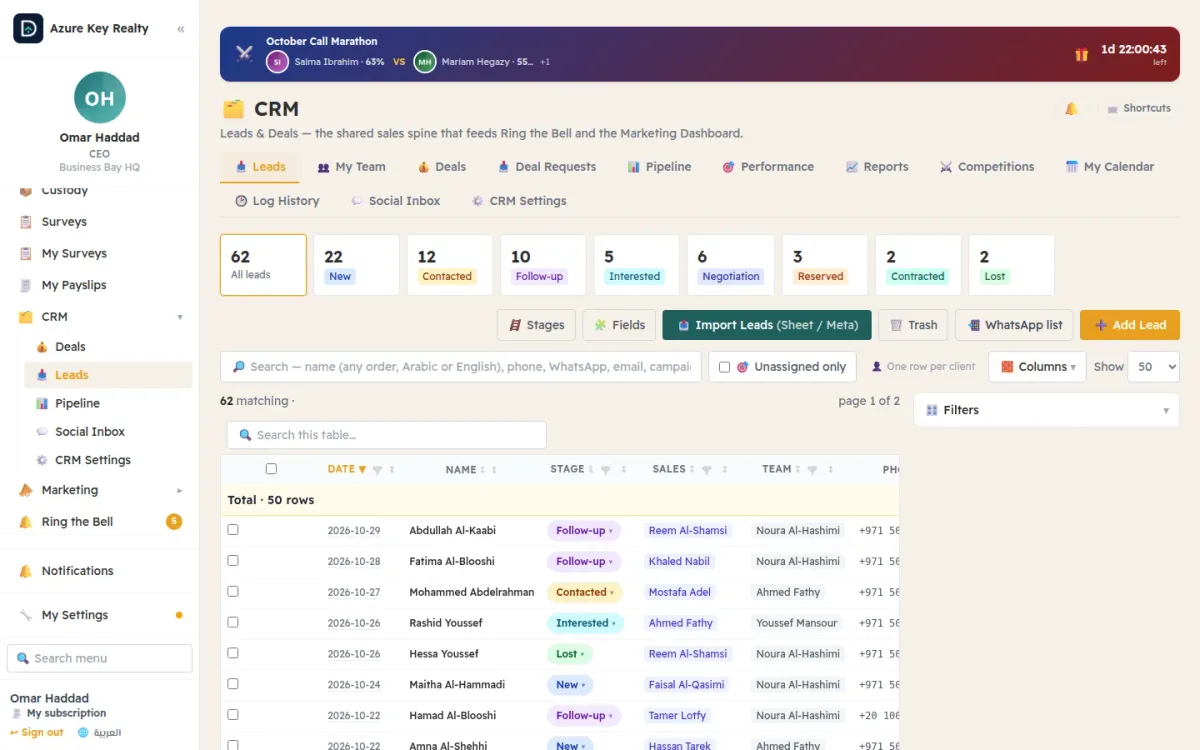
Leads reach a brokerage from ad forms, the website, imports, walk-ins and agents typing them in. The software should match them by phone number and email so one person is one client, with every request attached. In Dealora's CRM, a client who registered three times is one row with three requests behind it, and each client carries sources, tags and requirements such as unit type, budget and project.
Distribution rules and time limits
With 20 agents, manual distribution is the first thing to automate. Look for rules that pick an owner by a strategy (least loaded, weighted, first in first out or round-robin) and a way for agents with free capacity to pull unassigned leads within daily and monthly ceilings. Then look for time limits: a lead idle for too long in a stage should be pulled back and given to someone else. Dealora does this with pools, a Leads Bank and Pipeline SLA, which scans every 30 minutes with quiet hours at night. The rules behind it are laid out in the guide to lead distribution rules, time limits and reassignment.
One pipeline, with exit rules
One shared set of stages is what makes a manager's view meaningful. Check that a stage can require a logged action before a client moves forward, and that deals follow their own path. In Dealora a salesperson sends a deal request for one unit, the CRM Admin approves, holds or rejects it, and the deal moves from Deal to EOI (expression of interest) to Contracted. A unit can sit on only one live deal, which prevents two agents selling the same unit.
Follow-up that the manager can see
Follow-up fails when it lives in private WhatsApp chats. The client page should hold calls, WhatsApp, meetings and site visits as one timeline, and agents should be able to book appointments from it. A team leader should be able to see what each person holds, move all clients of one agent to another, and pull back clients still held by people who left. In Dealora those views are the client page with its Sales Activity timeline and the My Team screen.
A weekly scorecard per agent
The owner needs reports that count clients, not registrations, per salesperson and per team. Decide before you buy which eight or so numbers go on the weekly scorecard, then check that the software can produce them without a spreadsheet on the side. The article on an 8-number weekly scorecard per rep gives a starting set.
What can wait until the sales side is stable
A growing team tempts owners to buy everything at once. Most of the extra modules solve real problems, just not the ones a 20 agent brokerage has in month one. Leave them for a second phase, and note the plan each one sits on so the later decision is not a surprise.
- Payroll. Salaries, allowances, advances, bonuses and the monthly payslip run are on the Enterprise plan in Dealora. Until then, a clean commission record per deal matters more.
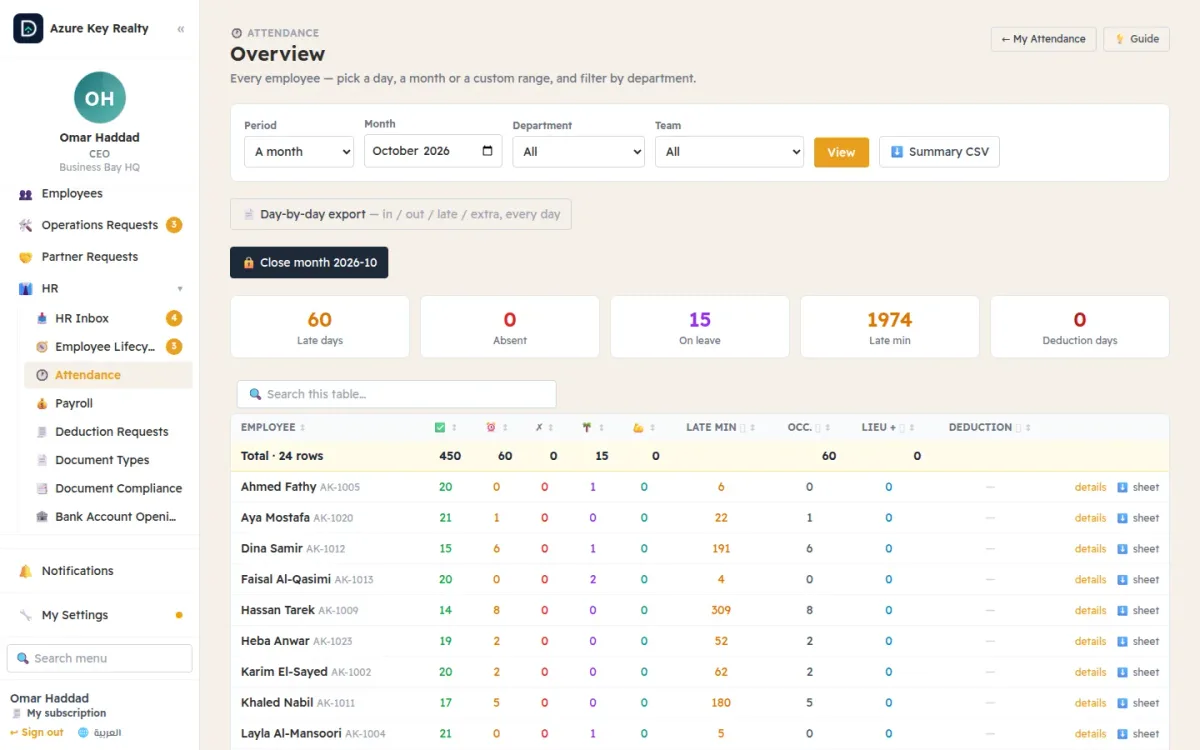
- Attendance & Leave. Mobile check-in, shifts, leave types and monthly reports start on the Business plan. A brokerage of 20 agents that works in the field rarely loses sleep over shift schedules.
- Online Expo. Expo editions with participating developers are on Enterprise, or an add-on from Growth charged monthly or per event. Run it once you have a stable follow-up process to receive the leads it brings.
- Celebration production. Ring the Bell is on Growth and above, while its production stages (video, design and posting) are on Enterprise.
- Hiring tools. The hiring pipeline and public careers page are on Business and above. A spreadsheet of candidates is enough while you hire a few agents a quarter.
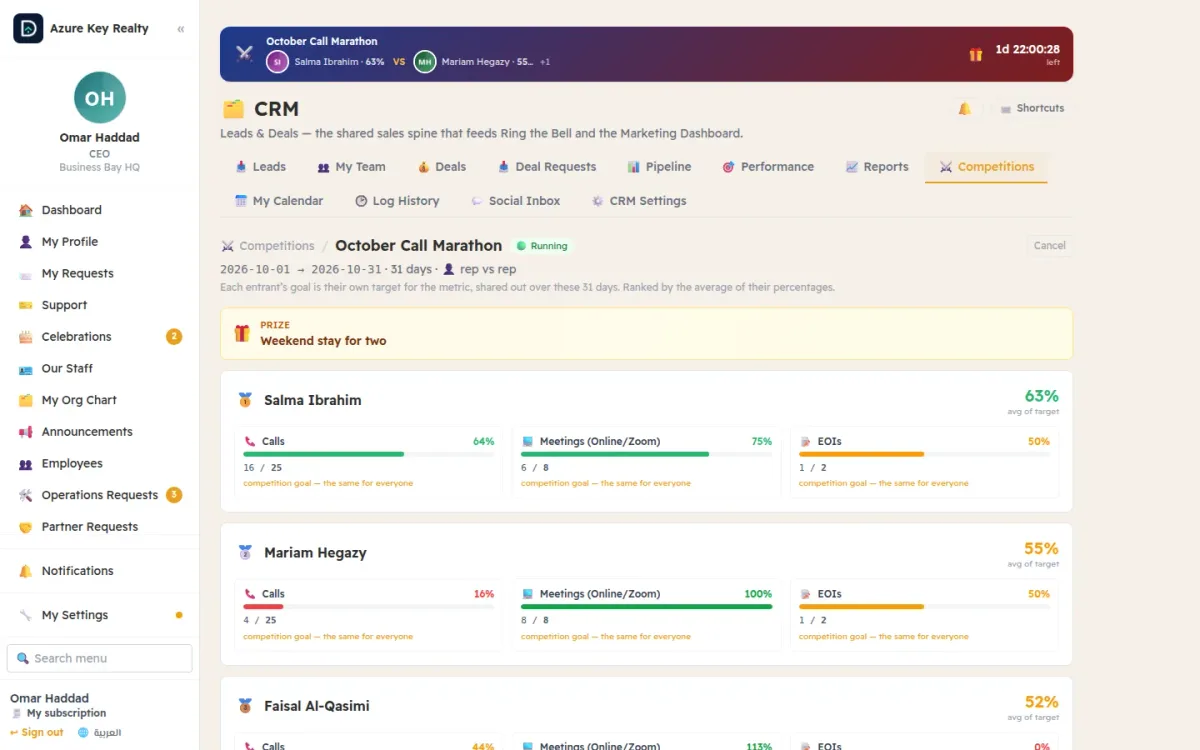
Some tools sit in between and are worth adding once the basics run. Competitions between agents or teams, the Social Inbox for Facebook, Instagram and WhatsApp messages inside the CRM, Task Management and the Marketing Dashboard are all on Growth and above. Social Inbox works only together with the company's own Meta connection (its Facebook page, Instagram and WhatsApp Business number).
How to judge brokerage software user limits and add-ons
The headline user number matters less than what happens when you pass it. Start by counting who will actually log in: 20 agents, team leaders, the sales manager, a CRM admin, the owner and perhaps a marketing coordinator. A brokerage of 20 agents is often 25 or more users.
Then ask four questions of any vendor:
- What is the user limit of each plan, and is anything lost by being near it?
- How are users added past the limit: an add-on, a plan change, or both?
- What is included in the base plan and what is a separate add-on (storage, extra branches, a connected company website, white label)?
- Does the plan allow data export, and from which plan?
In Dealora, the Starter plan allows up to 10 users, Growth up to 50, Business up to 150 and Enterprise has no user limit. A cap is not a wall: extra users are an add-on from Starter, so past the limit you add users or move up a plan. Other add-ons start from Starter too: extra storage, branches in other countries, Meta connection setup, a company website connected to the CRM and White Label. The AI Sales Agent is an add-on from Starter charged as a monthly subscription plus the calls, and the Chat Agent, on Growth and above, works only with that add-on and the company's own Meta connection and is charged by use as well.
Export deserves its own line. Data export is not included on Starter or Individual, and starts on Growth. If you want to pull client lists into a spreadsheet, that decides your plan. Individual is a separate plan for a solo broker or a team of up to 3, so it is not the one for 20 agents.
The per-user versus flat-rate pricing cost model shows how to compare plan structures by the number of people who log in, and the pricing page lists what each plan includes. Plan amounts and add-on terms come from the Dealora team, so ask them before you commit.
A checklist to run during the free 3-month trial
Every new company gets 3 months free on the Starter plan. The trial holds Employees, CRM, Developers & Projects, Projects Map and the Developer Sales index, with no data export. Starter allows up to 10 users, so run the trial with a pilot group: the sales manager, a CRM admin, two team leaders and a handful of agents who take real leads. Judge anything outside the trial from its page and a talk with the Dealora team about the right plan.
If you want the full setup order first, the step-by-step real estate CRM setup for brokers in Egypt and the Gulf walks through stages, sources and pools.
Week 1: set up and import
- Create the stages, sources and tags that match how your agents already talk about leads.
- Import a real client list and check that duplicate phone numbers merge into one client.
- Add the pilot users and assign roles: salesperson, team leader, CRM admin.
Weeks 2 to 4: run real leads
- Build one pool with your preferred strategy and send live leads through it.
- Set a time limit on the first stage, leave one lead untouched, and confirm that it is pulled back and redistributed.
- Have agents log every call, meeting and site visit on the client page for two weeks. Count how many actually do.
- Push one deal from request to EOI and watch the approval step with your CRM admin.
Weeks 5 to 12: read the numbers
- Open the reports per salesperson and per team at the end of each week and compare them with what the manager believed.
- Use My Team to move all the clients of one pilot agent to another, as you would after a resignation.
- Ask each agent one question: did this save you time or add to it? Adoption is the real test.
- Write down which paid-plan modules you wished you had, with the plan each one needs, and take that list to the Dealora team.
One caution about the Social Inbox if you move to Growth later: free-form replies can be sent only while WhatsApp's 24-hour customer service window is open. After that the Send button becomes "Log sent", where the agent writes from their own phone and Dealora records it. Test that behavior with your own agents before deciding it fits how they work.
A simple way to decide
Score the software on the five day-one needs, each out of three: does it work, does the team use it, can the manager see it. A tool that scores well on all five and lets you grow into the rest is the one to keep. The Keys of Success team, which builds and runs Dealora, has also written a week-by-week checklist for setting up a brokerage on Dealora for teams that want a ready order of work.
To test this with your own leads, create a free Dealora account: 3 months free on the Starter plan.
Sources
Frequently asked
What software does a 20 agent brokerage need first?
A CRM that does five things: captures every lead into one client record, distributes leads by rules with time limits, runs one pipeline for the whole team, keeps follow-up visible to the manager, and reports per agent each week. Payroll, attendance, hiring and expo tools can be added after the sales side is running.
Is a spreadsheet plus WhatsApp enough for 20 agents?
It usually breaks at the handover points: leads pasted into a sheet and split by hand, the same buyer reaching two agents, and clients leaving with an agent's phone. If you notice any of these each month, a CRM with distribution rules and a shared client record is the next step.
How should I judge a user limit for 20 agents?
Count everyone who will log in: agents, team leaders, the sales manager, an admin and the owner. Then ask how users beyond the plan limit are added. In Dealora, Starter allows up to 10 users, Growth up to 50, and extra users are an add-on from Starter.
Can I test the software with my whole team before paying?
Dealora's free trial is 3 months on the Starter plan, which allows up to 10 users. Use it with a pilot group, for example the sales manager, two team leaders and a handful of agents, and judge the rest of the plan through its pages and a talk with the Dealora team.
Which modules can a 20 agent brokerage leave for later?
Payroll, attendance and leave, hiring, expo tools and celebration production can wait until the lead and deal process is stable. In Dealora, Payroll is on the Enterprise plan, Attendance & Leave is on Business and above, and Online Expo is on Enterprise or an add-on from Growth.
Read next
- How to Scale a Real Estate Brokerage: Systems at 20, 50, 100 Reps A stage-by-stage map of the systems a brokerage needs at about 20, 50 and 100 salespeople: what breaks at each
- AI Chat Agent for a Real Estate Brokerage: Test, Trust, Go Live One AI agent can answer property customers on Instagram, Messenger, WhatsApp and TikTok, but only if you give
- PropSpace Alternative for UAE Brokerages: Cost Model and Tests A decision guide for UAE brokerage owners leaving per-user pricing: a yearly cost model at your own headcount,
- Real Estate Software Saudi Arabia: A 10-Point Buying Checklist A buying checklist for Saudi brokerage owners: Arabic and English screens, WhatsApp and Instagram leads, Meta