
Per-User vs Flat-Rate CRM Pricing for Brokerages: A Cost Model
By Dealora Published Reviewed by Ali Darwish 10 min read
A worked method for brokerages: count everyone who touches the CRM, model 12 months of headcount at three sizes, add the hidden extras, and find your break-even point.

Per-user pricing is usually cheaper while a brokerage has few, stable seats. Flat-rate pricing wins when headcount swings with hiring waves, turnover and trainee cohorts. To decide, count every person who uses the system, model 12 months of seat-months, add extras, and compare against the break-even headcount: monthly flat fee divided by the per-seat price.
Per-user vs flat-rate CRM pricing comes down to how stable your headcount is. Per-user pricing is usually the cheaper option while a brokerage has a small, steady team. A flat rate wins when headcount swings with hiring waves, agent turnover and trainee cohorts, because you stop paying for every extra seat. The only reliable way to choose is to model your own year: count everyone who touches the system, turn 12 months of headcount into seat-months, add the extras the pricing page leaves out, and compare the result against a break-even headcount.
How per-user vs flat-rate CRM pricing differs from banded plans
With per-user pricing (also called cost per seat software pricing), you pay a price for each person with access, usually every month. Your bill follows your headcount, up and down, unless the contract commits you to a number of seats for the year.
With flat rate software pricing, one fee covers the company, often with a stated user limit or fair-use rule. A third model sits between the two: plans in bands, where each plan covers up to a set number of users and you move up a band when you pass the limit. Many vendors blend these, so the label on the pricing page matters less than what happens to your invoice when you hire ten people in one month.
| Model | Your bill follows | Works best when | Main risk |
|---|---|---|---|
| Per user | Number of seats | Team is small and stable | Hiring waves and trainees inflate the bill |
| Flat rate | Nothing, within the stated limits | Headcount swings or non-sales staff need access | You overpay in a quiet year |
| Banded | The plan band you fall into | Growth is steady and predictable | A step up at the exact moment you cross the limit |
Count every person who touches the system
The most common modeling error is counting only the sales floor. A brokerage CRM is used by more people than the agents who close deals, and under per-user pricing each of them can be a seat. Write the list before you ask any vendor for a quote.
- Agents and consultants, including those on probation.
- Team leaders and sales managers who reassign leads and read team reports.
- The owner or general manager who only reads reports.
- Marketing staff who upload leads, check sources and track campaign results.
- HR, recruiters and the person who runs onboarding and offboarding.
- Finance, payroll and commission staff.
- Back office: contracts, documents, reception and operations.
- Trainee cohorts, interns and part-time or temporary staff.
Then ask which of these the vendor counts as a paid user. Some vendors give report-only or read-only access for free; others do not. If you also run other tools next to the CRM, the same headcount exercise applies to each of them, which is why a tool-by-tool audit of your tech stack belongs next to this one.
Model 12 months of headcount at three sizes
A per-user bill is the seat price multiplied by seat-months, where one seat-month is one person with access for one month. Build three scenarios, because a single forecast hides the risk. The figures below are an illustration, not market data: a brokerage that starts the year with 20 to 25 people and moves quarter by quarter.
| Scenario | Q1 | Q2 | Q3 | Q4 | Average headcount | Seat-months, billed monthly | Seat-months, billed at the year's peak |
|---|---|---|---|---|---|---|---|
| Lean (hiring freeze) | 20 | 20 | 20 | 20 | 20 | 240 | 240 |
| Expected (one hiring wave, some turnover, a trainee cohort) | 20 | 30 | 26 | 32 | 27 | 324 | 384 |
| Peak (aggressive growth) | 25 | 45 | 38 | 50 | 39.5 | 474 | 600 |
Each quarter is three months, so the expected case is (20 + 30 + 26 + 32) × 3 = 324 seat-months. The last column shows what you would pay if a contract billed the highest seat count you reach instead of the monthly count. Some annual contracts may work this way, so ask the vendor. In the expected case that difference is 60 seat-months, the same as five extra people paid for all year.
Replace the numbers with your own: current headcount, planned hires, the turnover you saw last year, and the dates of any trainee intake. Real estate CRM cost as your team grows is rarely a straight line, so keep the quarterly steps.
Add the extras pricing pages hide
The seat price is one line of the bill. Before comparing offers, give every extra its own row in the spreadsheet, once for the per-user offer and once for the flat-rate one.
- Add-on modules. Social inbox, bulk messaging, marketing dashboards and similar modules are often sold separately or only on higher plans. Write down which plan includes each one you need.
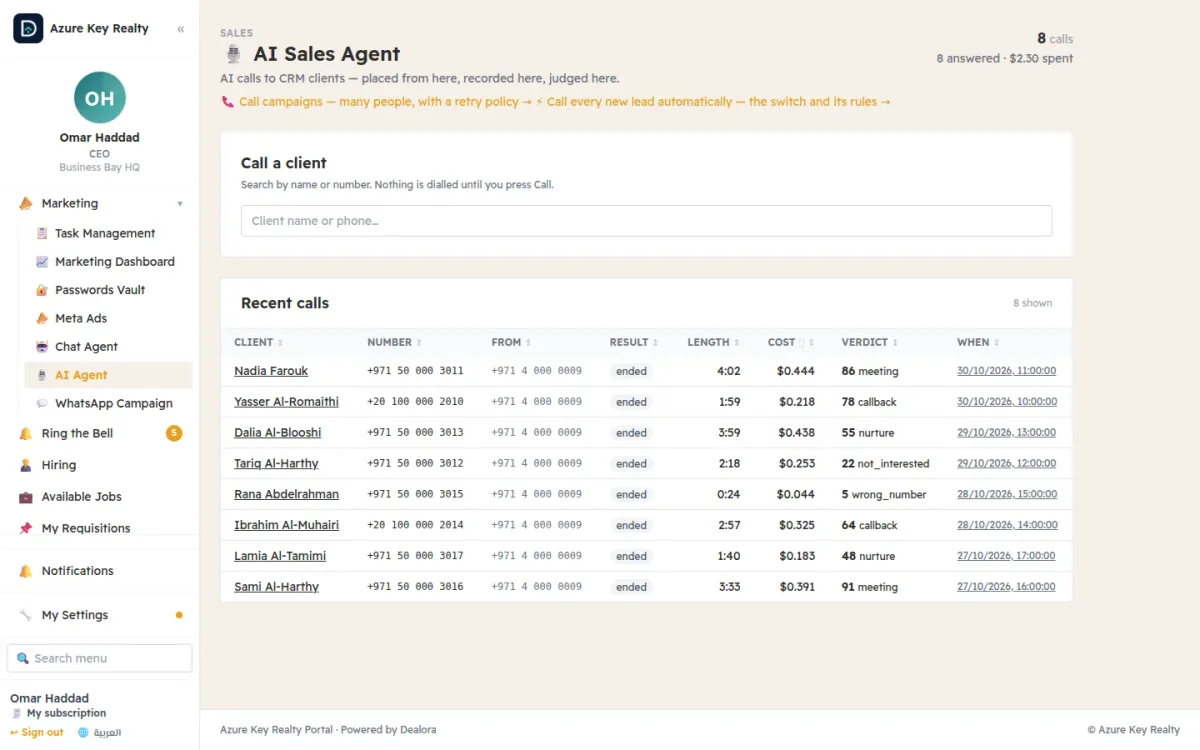
- Usage-based charges. AI calling, for example, is typically a monthly subscription plus the usage it consumes. In Dealora, the AI Sales Agent is an add-on from the Starter plan, charged as a monthly subscription plus call usage.
- Messaging fees. Meta, not the CRM vendor, sets WhatsApp Business Platform charges. Since 1 July 2025 Meta has charged per message, by category and market, only for messages from businesses to users; messages users send to you are not charged. Since 1 October 2026 service messages (non-template replies inside an open 24-hour customer service window) are charged per message as well, after a free tier of 1,000 service messages a month for each business phone number; unused free messages do not carry over. Beyond that tier, service messages stay free only for eligible government and non-profit organizations. Utility messages sent in response to users inside that window are charged too. Rates vary and Meta may update them up to quarterly, so a per-message cost inside a CRM add-on can change during your contract year. Volume tiers, which lower the rate as monthly volume rises (Meta's own example steps from the list rate to 5%, 10% and 15% off), exist only for utility and authentication messages, are calculated across the business portfolio, and do not apply to service messages.
- Minimum seats. If the vendor sells a minimum of, say, a fixed number of seats, your billed seats are the larger of your headcount and that minimum. Use a MAX formula, not your headcount.
- Extra users, storage and branches. Check what happens at the plan limit and what each extra unit costs.
- Data export. Some plans do not include it. That is a switching cost, so treat it as part of the price.
- Tax. Ask whether quoted prices include VAT. The UAE charges 5% on taxable software subscriptions supplied there. In Egypt, a non-resident vendor supplying digital services to non-registered Egyptian consumers declares and pays 14%. Your own tax adviser should confirm how this applies to your company.
The broader question of which modules your brokerage actually needs is covered in the list of ten features to look for in real estate management software. Price only what you will switch on in the first year.
The break-even formula for a spreadsheet
Use these cells. P is the monthly price of one seat. F is the monthly flat fee. Extras are annual totals for each offer.
- Seat-months: the sum of monthly headcount across 12 months (or the peak times 12 if the contract bills at peak).
- Billed seats each month: MAX(headcount, minimum seats).
- Per-user total = P × billed seat-months + per-user extras.
- Flat-rate total = F × 12 + flat-rate extras.
- Break-even average headcount = F ÷ P, when extras are equal on both sides.
- With unequal extras: break-even average headcount = (12 × F + flat extras − per-user extras) ÷ (12 × P).
Take an example without any currency. Suppose the flat monthly fee equals the price of 25 seats, so F ÷ P = 25. The lean case averages 20 people, so per-user is cheaper. The expected case averages 27 and the peak case 39.5, so the flat rate wins in both. If the contract bills at the year's peak, the expected case counts as 32 seats all year and the gap widens in favor of the flat rate.
For banded plans, add one step: choose the smallest band whose user limit is above your peak headcount, then check the price of the next band up for the peak scenario. Check whether the band price replaces the extras or sits on top of them.
A flat rate also changes behavior. Under per-seat billing, managers hesitate to give access to marketing, HR or trainees. A flat rate removes that hesitation, which usually improves data quality, but only if you want those people in the system at all.
Questions to ask any vendor
These questions turn a pricing page into a number you can put in the spreadsheet. Ask for the answers in writing, and use them alongside a wider checklist of real estate software questions. A real estate CRM comparison can help you shape the feature side of the same decision.
- Is the price per user, per company or per band, and what exactly is a user: a named login, an active login or a concurrent session?
- Do read-only, report-only or owner accounts need a paid seat?
- Do you bill monthly headcount, annual headcount or the peak?
- Can I remove seats mid-term when agents leave, and are deactivated users still billed?
- Is there a minimum number of seats or a minimum contract length?
- What happens on the day I pass the user limit or storage limit?
- Which modules are on each plan, and which are add-ons with their own price?
- Which charges are usage-based, and can I see the rate card?
- Are WhatsApp or other messaging fees passed through at cost, and what happens to my bill if Meta updates its rates?
- Is the price quoted with or without VAT, and in which currency?
- Can I export my data on this plan, in what format, and at what cost if I leave?
- By how much can the price rise at renewal?
Where Dealora's plans fit in the comparison
Dealora sells plans with user limits rather than a bare per-seat price: Starter covers up to 10 users, Growth up to 50, Business up to 150, Enterprise has no user limit, and Individual covers up to 3. Extra users are an add-on from Starter. Data export is included from Growth upward, not on Starter or Individual. Plan contents, limits and add-ons are on the pricing page; ask the Dealora team for the amounts in writing, then run the formula above with those figures rather than with anyone's summary.
Some modules sit on higher plans: the Social Inbox starts on Growth, for example, while the AI Sales Agent is an add-on from Starter. Put those in your extras rows before you compare. The Dealora CRM itself is on every plan.
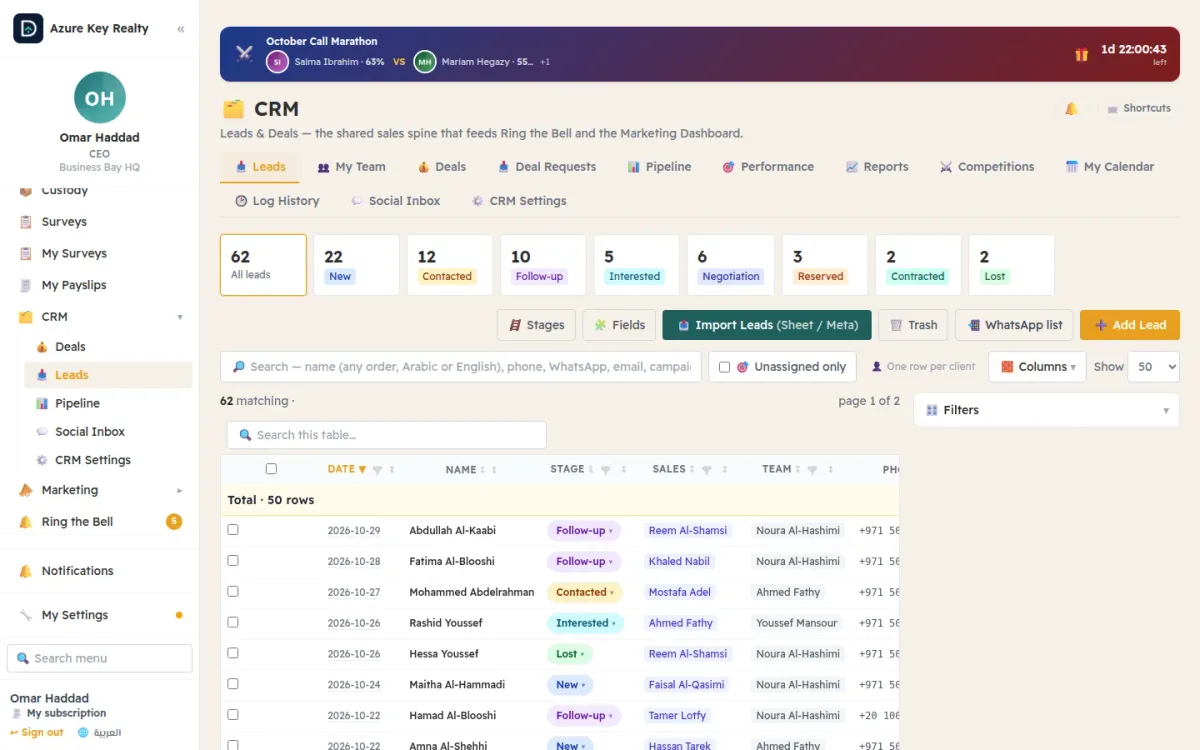
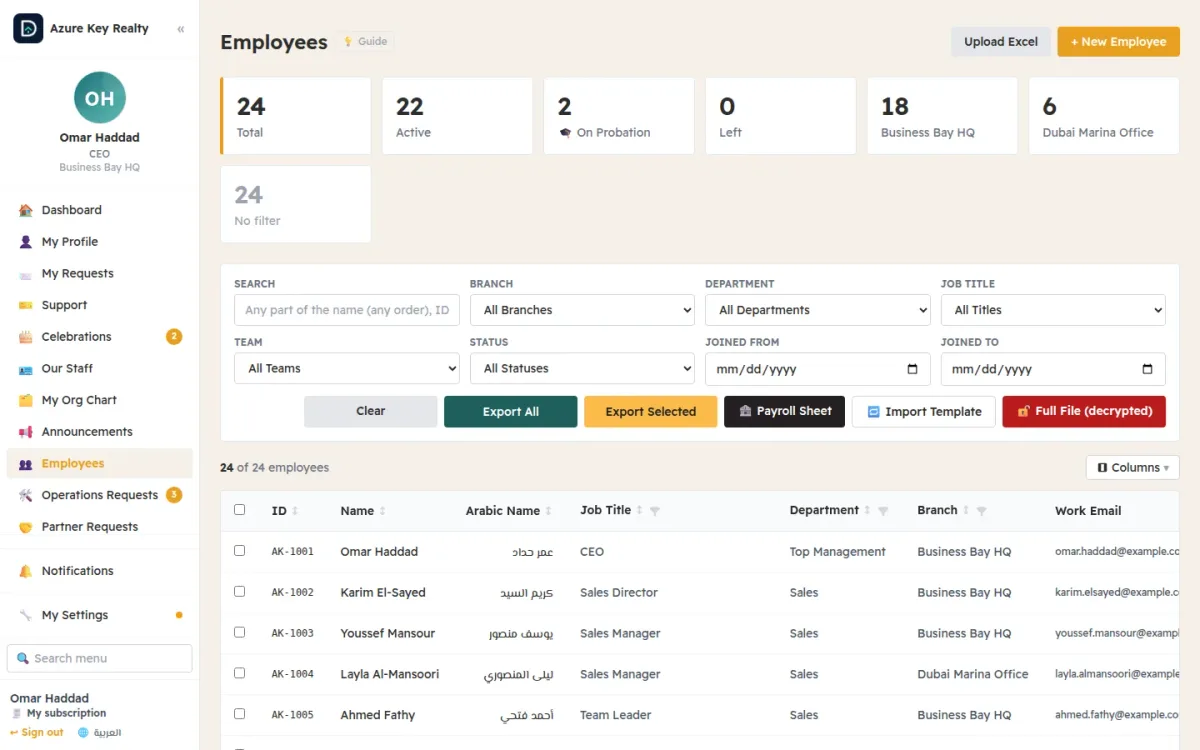
Every new company gets 3 months free on the Starter plan. The trial holds Employees, CRM, Developers & Projects, Projects Map and the Developer Sales index, without data export, and Starter is limited to 10 users. Employees is the module where you can list everyone by title, department and branch, so use it to count who really needs access.
You can start the free 3-month Starter account, then take your seat-month table and the pricing page and see which model fits your year.
Sources
Frequently asked
Is per-user or flat-rate CRM pricing cheaper for a brokerage?
Neither always wins. Per-user pricing is cheaper when headcount is small and steady. A flat rate becomes cheaper once your average headcount over the year passes the monthly flat fee divided by the per-seat price. Brokerages with hiring waves, agent turnover and trainee cohorts cross that point more often than stable teams.
Who should be counted as a CRM user in a brokerage?
Count everyone who logs in: agents, team leaders, sales managers, the owner, marketing, HR, finance and back office, plus trainees and anyone on a probation or temporary contract. Ask the vendor whether read-only or report-only users need a paid seat, because that changes the total.
What extra costs hide behind CRM pricing pages?
Common ones are add-on modules, usage-based charges such as AI calls, per-message WhatsApp fees passed through from Meta, extra storage or users, minimum seat counts, data export limits and VAT. Put each in its own spreadsheet row for the per-user and the flat-rate offer.
How do I calculate the break-even point between per-user and flat pricing?
Divide the monthly flat fee by the monthly price of one seat. The result is the average number of users above which the flat rate costs less over a year. If the two offers carry different extras, add the extras to each side first, then divide the difference by twelve times the seat price.
Does Dealora charge per user?
Dealora's plans carry user limits: Starter up to 10 users, Growth up to 50, Business up to 150, Enterprise with no limit, and Individual up to 3. Extra users are an add-on from Starter. Plan contents are on the pricing page, the amounts come from the Dealora team, and a new company gets 3 months free on Starter.
Read next
- Software for a 20 Agent Brokerage: What to Require A requirements list for a brokerage of about 20 agents: what the software must do on day one, what can wait, h
- How to Scale a Real Estate Brokerage: Systems at 20, 50, 100 Reps A stage-by-stage map of the systems a brokerage needs at about 20, 50 and 100 salespeople: what breaks at each
- How to Link Sales Targets to Payroll in a Brokerage Closed deals in the CRM, attendance on WhatsApp and pay in a spreadsheet make every month end a dispute. Here
- How to Test a CRM Free Trial: A 30-Day Plan for Brokerages A week-by-week 30-day plan for brokerage owners: import real leads, run the pipeline with real reps, check dev